
Microsoft Entra agent users can join your dynamic groups. Here is what to check
Update, 15 August 2026: The rule is
user.agentIdentityBlueprintId, and the dynamic membership rule engine accepts it today. I’ve tested it against a real agent user: a plain “all member users” rule does match an agent user, and this condition excludes it. Jump to the rule for the syntax, including the one variant that silently matches nobody.
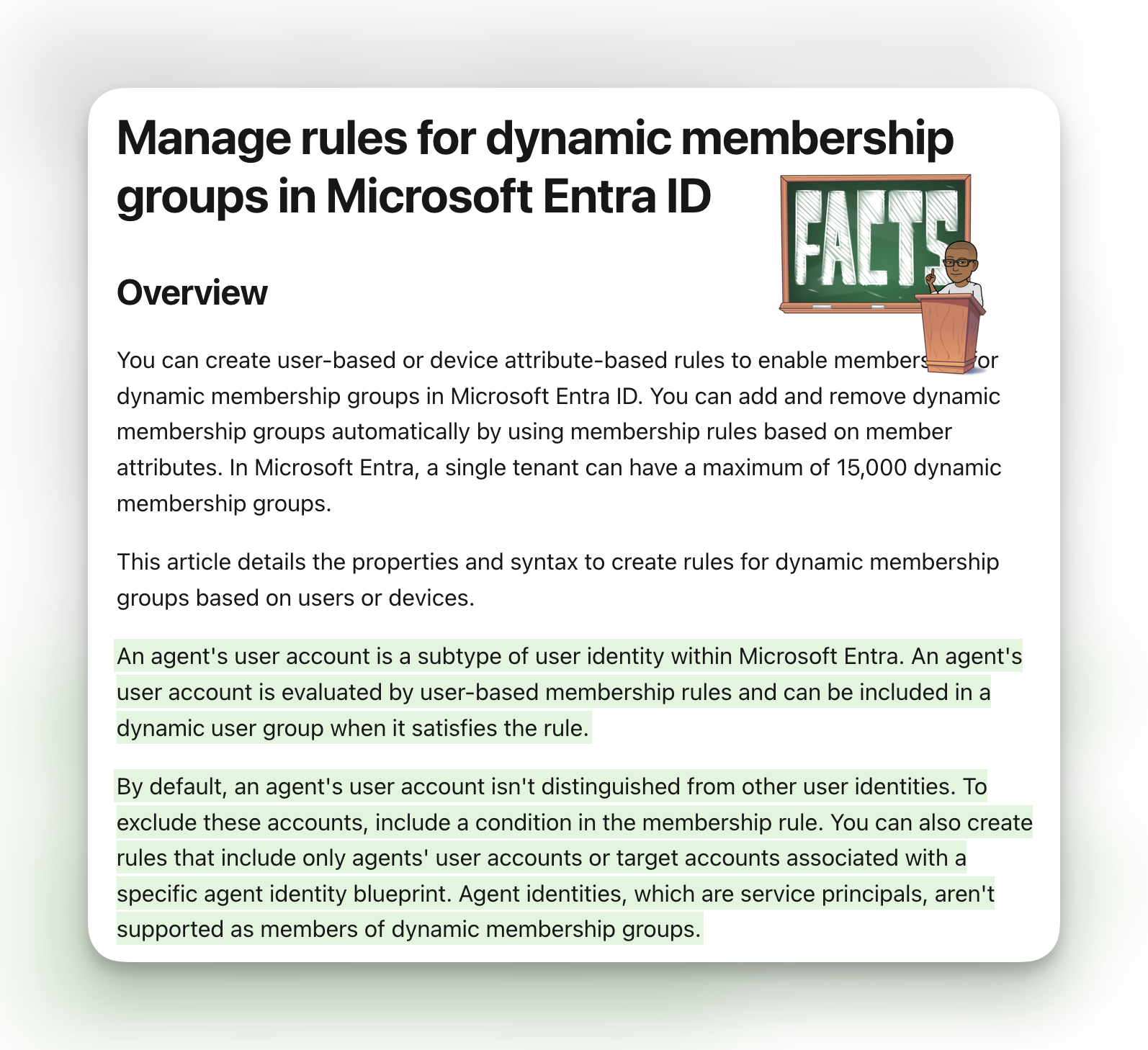
Microsoft has clarified how agent user accounts are handled by dynamic membership groups in Entra ID.
An agent’s user account is evaluated by user-based dynamic membership rules. If the account satisfies a rule, it can be added to the dynamic group just like another user.
That means an agent user could inherit anything connected to that group, including group-based licenses, application access, Microsoft 365 group resources, or other permissions.
Broad membership rules are the problem. An agent user can already match one without the group owner realizing it.
Why agent users look like users to dynamic group rules
There are two identities to keep straight in Microsoft Entra Agent ID.
The primary agent identity is a service principal. It is not supported as a member of a dynamic membership group.
An agent can also have an optional agent user account for systems that require a user identity. Microsoft describes this as a subtype of the user resource. It receives tokens with idtyp=user, can be added to groups and administrative units, and can be assigned licenses.
Microsoft Graph exposes the account as an agentUser resource. It inherits many normal user properties, including:
userPrincipalNameuserTypedepartmentcompanyNameemployeeIdassignedLicensesassignedPlans
Because agentUser inherits these properties, a rule written before agent users arrived in the tenant can still match one.
Consider a common “all member users” rule:
(user.objectId -ne null) -and (user.userType -eq "Member")
userType separates Member from Guest. An agent user can also have userType set to Member, so the property says nothing about whether the identity belongs to a person. The agent user I created for this post came back as Member and matched that rule, as you can see in the results.
The same issue can appear in rules based on country, department, company name, usage location, UPN, or another supported user property. If the agent user has the value, it can satisfy the rule.
How an agent user can consume a license
Microsoft explicitly documents that an agent user can be assigned licenses and that its assignedLicenses collection includes licenses inherited through group-based licensing.
If a dynamic group is used for licensing, an agent user that joins the group can consume one of the available product licenses. If the tenant runs out, newly added users will not receive that product license until another license becomes available.
There are two licensing checks to make:
- The product assigned to the group could be assigned to an agent that does not need it.
- Dynamic group licensing requires enough Entra ID P1 licenses to cover each unique user in one or more dynamic groups. Because an agent user is a user subtype, organizations should confirm how their agent population affects this requirement with their Microsoft licensing contact.
Licenses are only one consequence. Check whether each affected group is also used for:
- Enterprise application assignments
- Microsoft 365 groups and Teams
- SharePoint permissions
- Conditional Access targeting
- Access packages and other governance workflows
- Azure and application-specific role assignments that use the group
An agent user cannot be added to a role-assignable group. That blocks one privilege path, but ordinary security groups can still carry broad access.
The rule: user.agentIdentityBlueprintId
Microsoft says administrators can add a condition to exclude agent user accounts, include only agent user accounts, or target accounts associated with a specific agent identity blueprint. The property that does this is agentIdentityBlueprintId.
@DrEntraID first called out that it is already there in the rule builder UI. @DanielatOCN pointed out that every agent identity is created from a blueprint, so a null check on that property separates agent users from everyone else, and reported that it works in his tenant.
That reasoning holds. The agent identity creation flow requires a blueprint app ID, in the portal wizard and in the Graph API call.
The rules
This is the one to add to your existing groups. It excludes agent users from an all-users rule while leaving everyone else untouched:
(user.objectId -ne null) -and (user.userType -eq "Member") -and (user.agentIdentityBlueprintId -eq null)
The rest are variations on the same property. Include only agent users:
user.agentIdentityBlueprintId -ne null
Target the agent users created from one blueprint:
user.agentIdentityBlueprintId -eq "<blueprint app ID>"
The value is the appId of the blueprint, not its object ID. Microsoft Graph documents agentIdentityBlueprintId on the agentIdentity resource as “The appId of the agent identity blueprint that defines the configuration for this agent identity.” Pick up the wrong GUID and your rule matches nothing, with no error to tell you.
Do not use -eq ""
The empty string variant was also suggested, and it does not do what it looks like it does.
user.agentIdentityBlueprintId -eq ""
In dynamic membership rules, quotation marks make a value a literal string. An unset property is null, and null does not equal "". I evaluated this rule against both a normal member user and an agent user, and it returned false for both. As an exclusion condition it doesn’t exclude agents, it empties the group. Use unquoted null, which is what Microsoft’s own null value guidance says.
How I verified this
Rather than create a group and hope, I used the evaluateDynamicMembership API to run candidate rules against a real user without changing any group in the tenant. I then created an agent user in my demo tenant and ran the same rules against it, so every rule is tested from both sides.
POST https://graph.microsoft.com/beta/groups/evaluateDynamicMembership
Content-Type: application/json

{
  "memberId": "<user object ID>",
  "membershipRule": "(user.objectId -ne null) -and (user.agentIdentityBlueprintId -eq null)"
}
The response evaluates each expression separately, so you can see exactly what the engine read:
{
  "membershipRule": "(user.objectId -ne null) -and (user.agentIdentityBlueprintId -eq null)",
  "membershipRuleEvaluationResult": true,
  "membershipRuleEvaluationDetails": {
    "expressionResult": true,
    "expression": "-and",
    "expressionEvaluationDetails": [
      {
        "expressionResult": true,
        "expression": "user.objectId -ne null"
      },
      {
        "expressionResult": true,
        "expression": "user.agentIdentityBlueprintId -eq null",
        "propertyToEvaluate": {
          "propertyName": "agentIdentityBlueprintId",
          "propertyValue": ""
        }
      }
    ]
  }
}
The important control is that the engine is not simply accepting anything I type. A made-up property is rejected outright:
{ "code": "", "message": "Unsupported property 'notARealPropertyXyz'" }
So agentIdentityBlueprintId is a genuinely supported property in the rule engine.
While testing, I found the rule engine also accepts user.identityParentId, which is the agent user property that points at its parent agent identity. It is arguably the more fundamental marker of an agent user, since it exists on the agent user itself rather than describing the blueprint it came from.
user.identityParentId -ne null
The results, side by side
I created an agent user against an existing agent identity in my demo tenant and evaluated each rule twice, once against a normal member user and once against the agent user.
| Rule | Human member | Agent user | Verdict |
|---|---|---|---|
(user.objectId -ne null) -and (user.userType -eq "Member") |
true | true | ❌ agent lands in the group |
(user.objectId -ne null) -and (user.userType -eq "Member") -and (user.agentIdentityBlueprintId -eq null) |
true | false | ✅ humans only |
user.agentIdentityBlueprintId -ne null |
false | true | ✅ agent users only |
user.agentIdentityBlueprintId -eq "<blueprint app ID>" |
false | true | ✅ one blueprint only |
user.agentIdentityBlueprintId -eq "" |
false | false | ❌ matches nobody |
user.identityParentId -ne null |
false | true | ✅ agent users only |
The first row is the reason this post exists. A plain “all member users” rule matched the agent user, on an account created minutes earlier, with userType reading Member.
The rest is the fix working as intended. Adding -and (user.agentIdentityBlueprintId -eq null) flipped the agent user to false while leaving the human user in the group, and the blueprint GUID matched the exact agent it should. The -eq "" row is the trap: it returns false for the agent user even though the property holds a value, so it never excludes anything, and false for humans too.
The agent user carries both properties on the object itself. When I created it, the response returned identityParentId pointing at the parent agent identity and agentIdentityBlueprintId carrying the blueprint app ID, inherited from that identity. Nothing about the account has to be configured for the exclusion rule to work.
Both properties are worth adding to the supported properties table so admins can find them without hunting.
How I would check a tenant
1. Check what each matching group actually grants
Membership tells you where an agent user has landed. The group’s consumers tell you what the account received.
Prioritize groups that:
- Have product licenses assigned
- Are assigned to enterprise applications
- Back a Team or Microsoft 365 group
- Are included in Conditional Access policies
- Grant access to SharePoint sites or other resources
- Feed entitlement management or automated provisioning
For licensing groups, also check group-based licensing errors and the remaining license count for each assigned SKU.
2. Add the agent exclusion to every broad rule
This is the one change to make today. Add this condition to any user rule that grants licenses, application access, or Conditional Access scope to a broad population:
-and (user.agentIdentityBlueprintId -eq null)
So the common “all member users” rule becomes:
(user.objectId -ne null) -and (user.userType -eq "Member") -and (user.agentIdentityBlueprintId -eq null)
Validate the change with evaluateDynamicMembership or the rule validation page before saving, and check the group’s membership count afterwards. A rule that silently matches nobody looks identical to a rule that works until someone loses access.
Groups that are meant to include agent users are the exception, and worth deciding deliberately rather than by default.
I’m glad the warning is now in the documentation, and glad the property turned out to be there. Thanks to @DrEntraID and @DanielatOCN for surfacing it so quickly.
You can see this and the rest of the Microsoft Entra documentation changes for the day at Daily.Entra.News.
References
- Manage rules for dynamic membership groups in Microsoft Entra ID
- The agent’s user account in Microsoft Entra Agent ID
- Microsoft Graph agentUser resource
- Microsoft Graph agentIdentity resource
- Create agent identities in Microsoft Entra Agent ID
- group: evaluateDynamicMembership
- Validate rules for dynamic membership groups
- Assign Microsoft 365 licenses to user accounts